.png)


Key takeaways
- Webflow MCP 2.0 is a big step beyond the first release, giving AI much deeper access to your Webflow projects.
- The biggest use cases today are development, SEO & AEO audits, content operations and workflow automation.
- The real value comes from combining AI with clear prompts, good workflows and human review.
Vibecoding and Claude Code have become increasingly popular in the last few months. We have seen it too - we have started experimenting with AI tools to speed up Webflow development work and even seen our past clients move away from Webflow.
However, we knew Webflow was cooking behind closed doors. They announced MCPv1, focused mostly on CMS and metadata. It was cool, but not life-changing. The Webflow community wanted more - developers were looking jealously at platforms like Astro and Lovable and wondering if and when Webflow would get there.
Well, it happened. Webflow MCP 2.0 is here, and we have been testing it to see what the fuss is all about. Turns out, it looks very promising. This time, AI gets access to much more than your CMS. It can work with your components, design system, variables, and collections too.
How we use Webflow MCP at Webnomads
We've been testing Webflow MCP since the first version, using it across client projects, SEO audits and CMS updates. At first, it felt like an interesting experiment. MCP 2.0 is where it started becoming part of our everyday workflow.
Speeding up repetitive development
"Webflow MCP helps us build websites faster by cutting down the time spent on repetitive tasks. Things like transferring styles from Figma can be handled by AI, allowing us to focus on creative decisions and solving more complex problems." - Dominik Możdżeń, Webnomads Dev Team Lead
We've found it works best when the task is repetitive: bulk CMS updates, implementing the same patterns across multiple pages, or moving designs into Webflow are all good examples.
Running SEO & AEO audits
"One of the biggest wins with Webflow MCP 2.0 is SEO and AEO audits. It acts more like a technical reviewer than a content generator, quickly spotting missing schema and other technical gaps. On larger websites, that saves hours of manual work."- Karol Truszczyński, Webflow Developer
Instead of manually reviewing dozens or hundreds of pages, we use MCP to spot missing schema markup, metadata inconsistencies, and other technical AEO issues before we start implementing improvements.
Better prompts, better results
"The biggest surprise for me was how capable it became once I started giving it better prompts. A well-written prompt can produce incredibly useful results. A vague one... well, that's when things get frustrating. I definitely see this becoming part of how we'll work in the future." - Laura Korycka, Webflow Developer
Probably our biggest lesson: like every AI tool, the quality of the output depends on the quality of the instructions. We've found the biggest productivity improvements come from building repeatable workflows, giving MCP the right context and keeping a human in the loop.
What can you do with Webflow MCP?
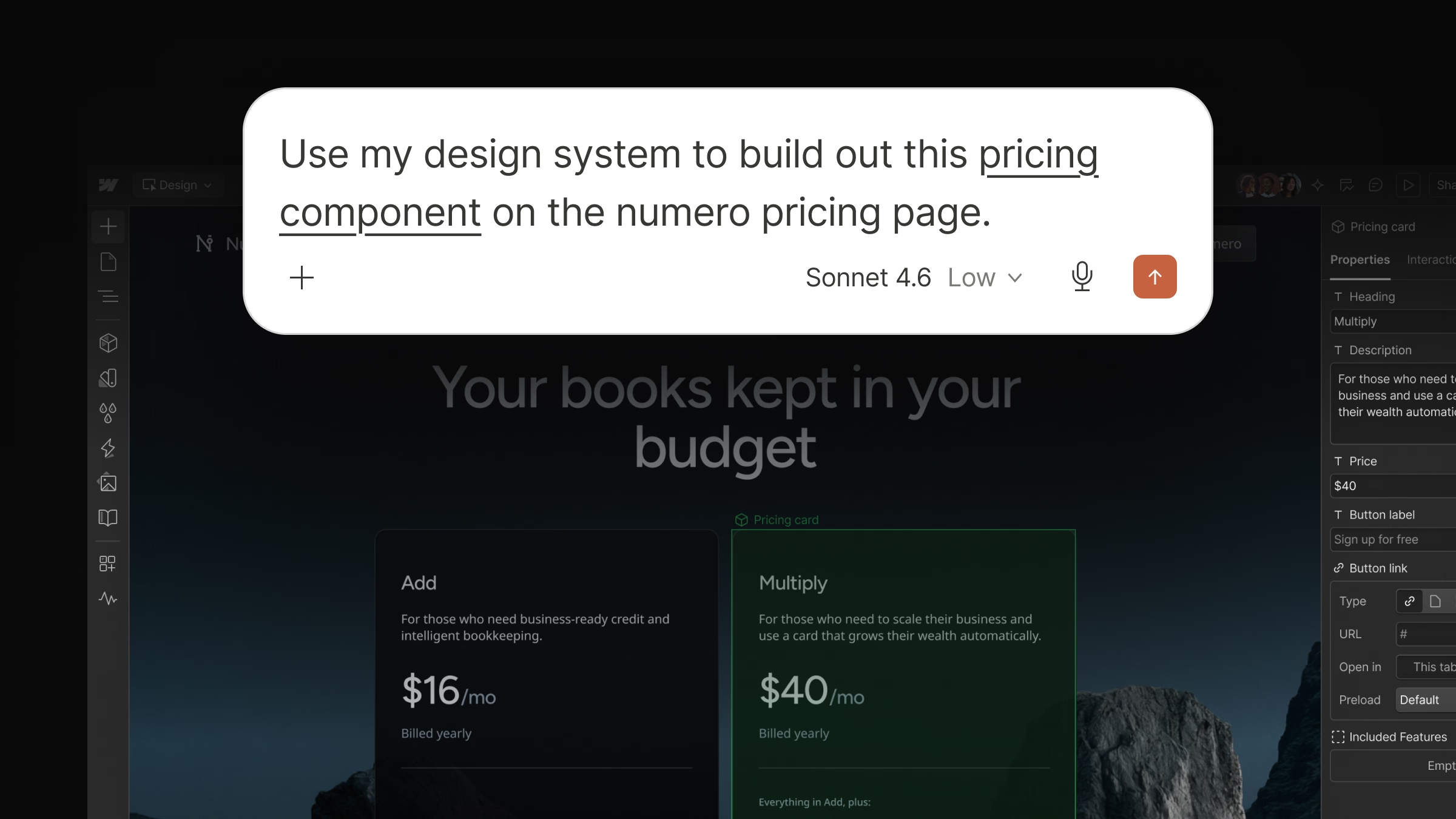
Build new pages using your existing design system
This is probably the biggest upgrade in MCP 2.0. AI can now see your components, styles, variables, props, variants, and CMS collections, so it works with your existing design system instead of inventing its own.
That means you can hand it a folder of case studies and ask it to generate CMS pages that follow your existing components and structure. This means you can now ship faster, while your website stays consistent and easy to maintain.
Keep AI aligned with your brand and content guidelines
Agent Instructions let you define your brand voice, design rules, and legal requirements once, then reuse them across different AI tools. Everything starts from the same playbook, which means more consistent outputs and far less repetition.
It also opens the door to larger content automations at scale, like generating hundreds of personalized landing pages.
Analyze website performance without leaving the chat
Analyze now works through MCP too. Instead of opening another dashboard, you can simply ask AI about traffic, engagement, top-performing pages or user behaviour directly in chat.
Where it gets really interesting is when you combine it with other MCP integrations. With a single prompt, you could identify pages losing traffic, send a summary to Slack and create follow-up tasks in Asana.

Test changes safely before publishing
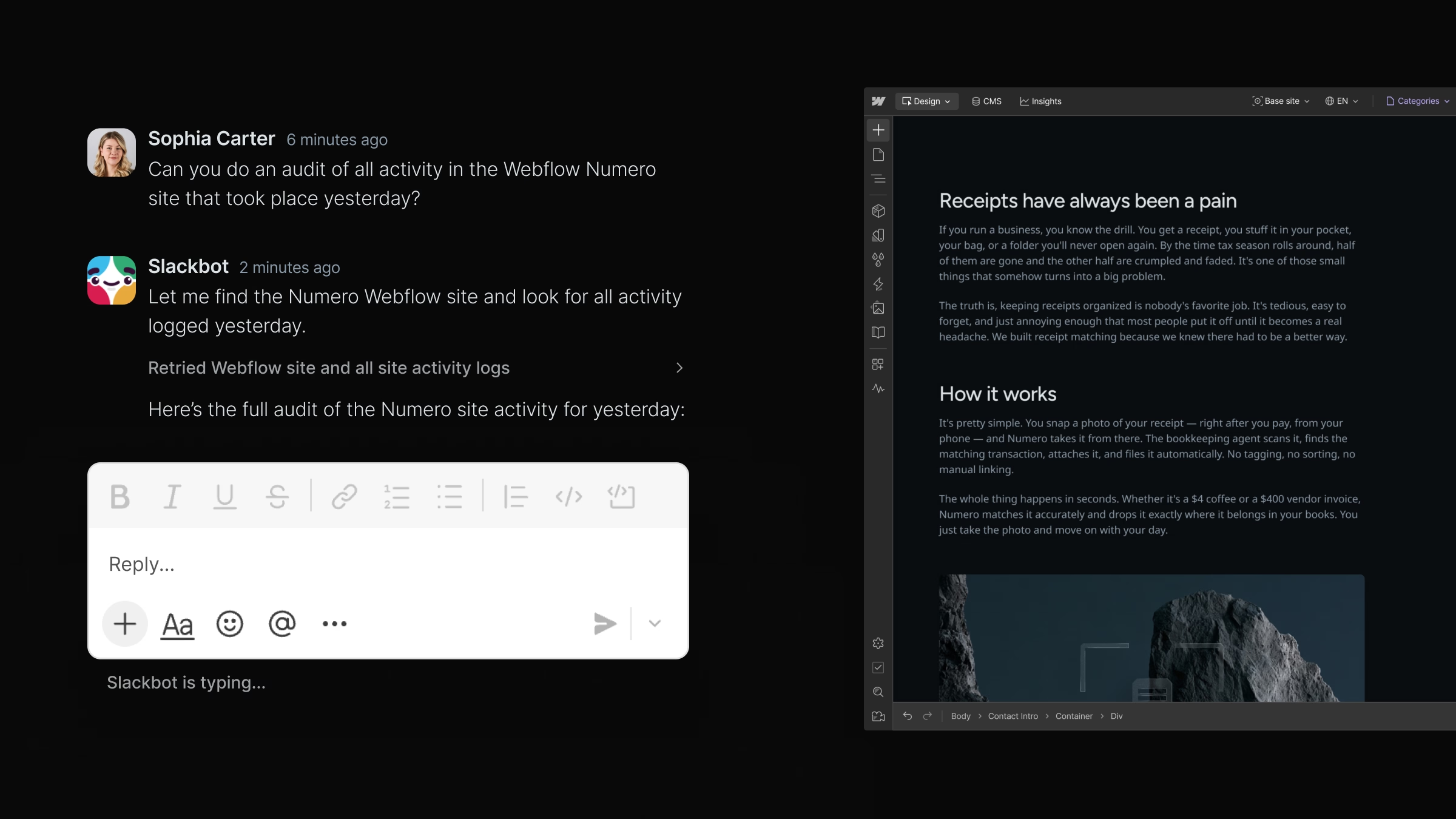
For Enterprise teams. AI can work on branches instead of directly on your live site, while role-based permissions ensure it only has access to the resources it's allowed to modify. Every action performed through MCP is recorded in activity logs, making it easier to review changes and audit AI-assisted workflows.
Final thoughts
Webflow MCP feels like the beginning of something much bigger. For the first time, AI can work with your website instead of around it. It's the start of real agentic workflows in Webflow, and we're excited to see how far the platform takes it.